

How to Prepare Event Badges for Conferences and Corporate Events in Ghana
A practical guide to designing, printing, and managing professional event badges for conferences, exhibitions, seminars, and corporate events in Ghana.
Well-prepared event badges do more than identify guests. They help speed up check-in, improve security, support networking, and create a stronger first impression. Whether you are planning a conference, seminar, exhibition, or large public event, your badge system should be simple, readable, and easy to manage on the day.
This guide explains how to prepare event badges for conferences and corporate events in Ghana, from choosing the right production method to organising the check-in area and handling common badge issues.
1. Decide How the Badges Will Be Produced
Your production method affects materials, staffing, timing, and the full registration workflow. Before designing anything, decide how the badges will be created and issued.
- Pre-printed badges: Best when the attendee list is stable and the event needs a clean, uniform look. They save time during check-in but are less flexible for walk-ins and last-minute edits.
- In-house printing: Useful for smaller events. It is more affordable, but it becomes slower and harder to manage as attendance grows.
- Label-on-stock: A strong option when you want pre-designed cards but still need onsite personalisation. Only the names or QR codes are printed on labels and applied to the cards.
- Direct thermal onsite printing: Often the best choice for large conferences and multi-day events. Badges print instantly at check-in, but it requires stable power, backup printers, and trained staff.
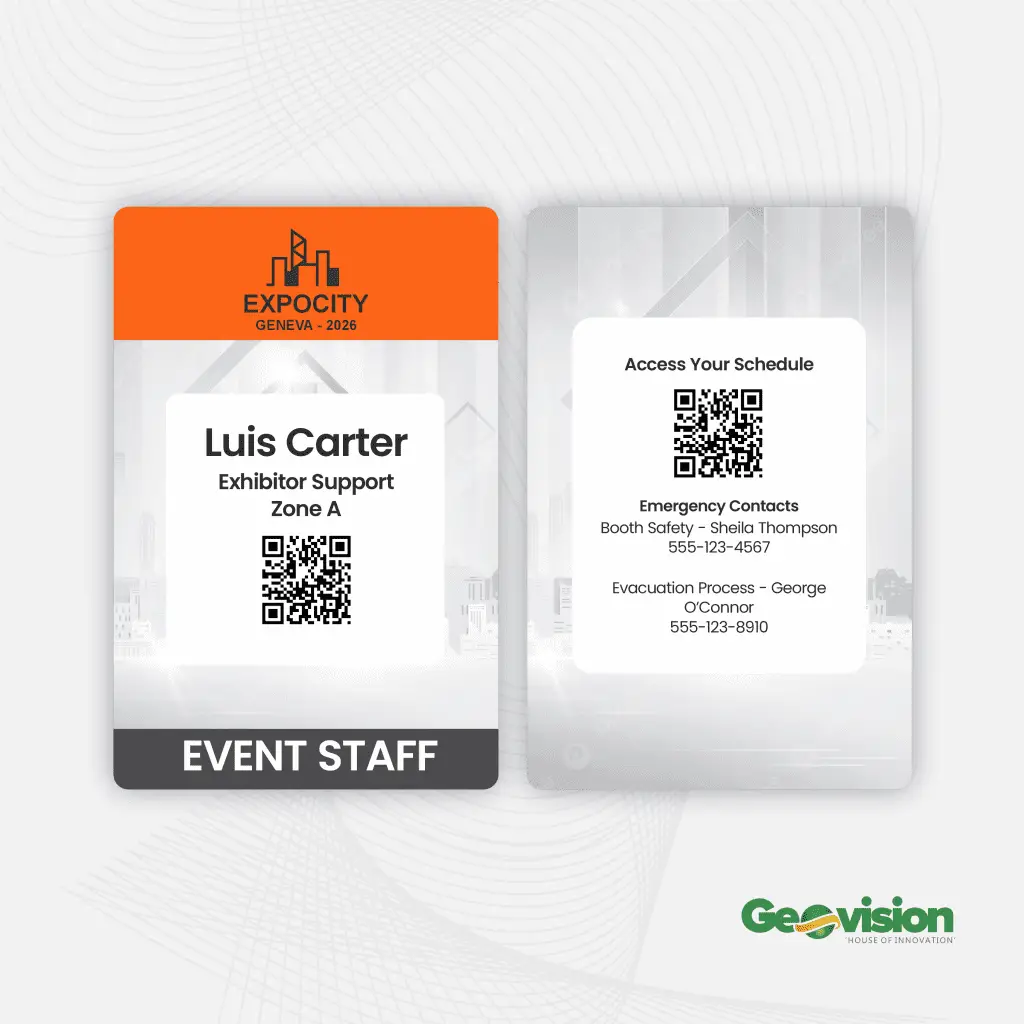
2. Create a Simple and Readable Badge Design
Badge design should focus on readability first. A badge that looks attractive but is hard to read or scan will slow down registration and create confusion for staff and guests.
- Layout: Choose portrait or landscape depending on the amount of information you need. Keep wide margins so nothing gets trimmed during printing.
- Name hierarchy: The attendee’s first name should be the most visible element, followed by the surname, company, and role.
- QR code space: Leave enough room for a clearly scannable QR code.
- Colour contrast: Use dark text on a light background. Avoid placing text over busy graphics.
- Access control: If you use colours for access levels, also include text labels so staff can identify permissions quickly.
Recommended font sizes
First name: 36 to 48 pt
Surname: 24 to 32 pt
Company and role: 12 to 16 pt
File preparation
Export the final badge artwork as a CMYK PDF. Add 3 mm bleed if the design prints edge to edge. Embed fonts or convert them to outlines so the output remains accurate.
3. Choose the Right Badge Materials
The materials you choose should match your printing method, event format, and durability needs.
- Card stock: Use 16 to 20 pt stock for pre-printed badges. A matte finish usually works best because it reduces glare and improves readability.
- Label stock: Choose stock compatible with your label printer, such as the Brother QL series. This works well when applying personalised labels to pre-printed cards.
- Thermal stock: Suitable for direct thermal printers and fast onsite badge printing. Laminated thermal stock is better for outdoor or multi-day events.
- Lanyards and holders: Polyester lanyards are standard, while recycled PET is a more eco-friendly option. Alligator clips or clamps can reduce badge flipping.
Always order at least 10 percent extra materials to cover walk-ins, damaged badges, and last-minute replacements.
4. Recommended Printers for Ghana-Based Events
Reliable equipment makes a major difference on event day. These printer models are commonly used for badge production workflows.
Label printing
Brother QL-820NWB
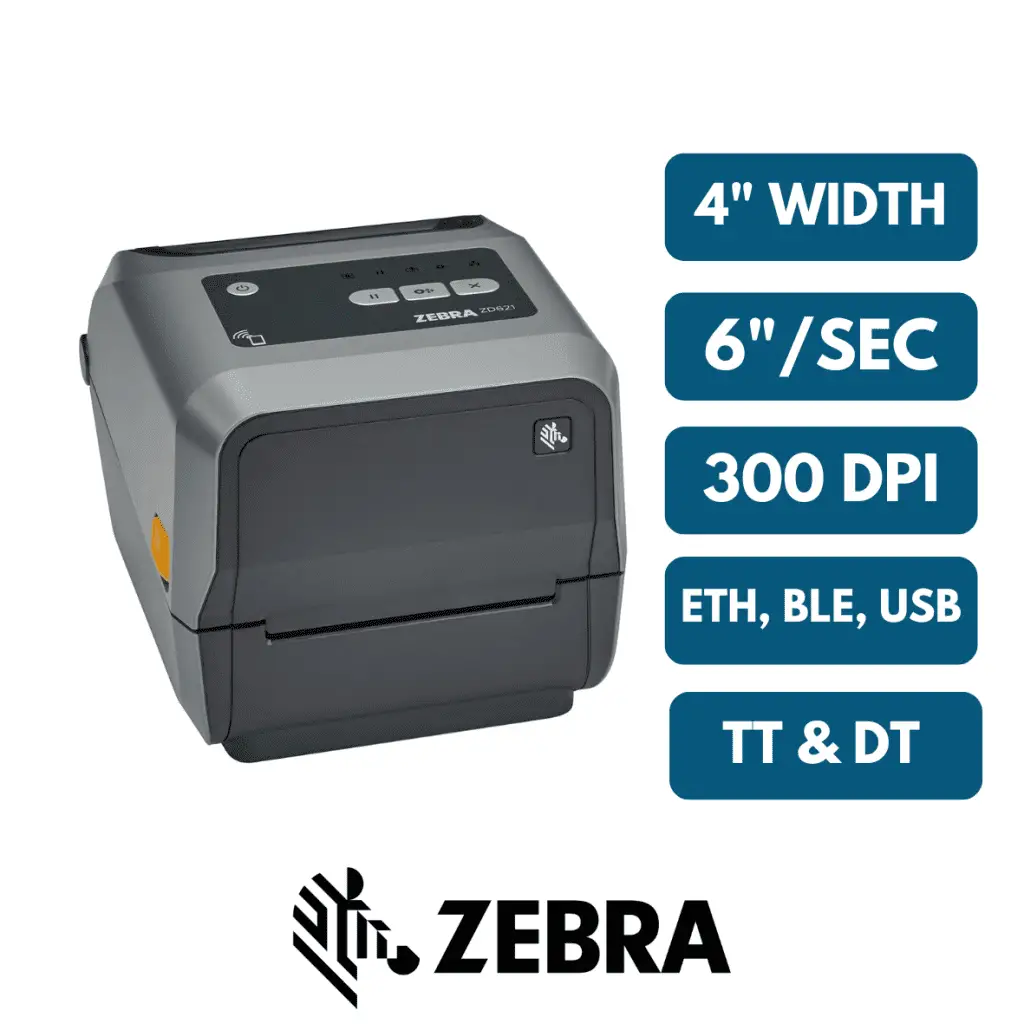
Zebra ZD621
Direct thermal full badge printing
Zebra ZT411
Zebra ZD621 with badge-grade media
Make sure you have spare ribbons, power adapters, and extra media rolls. Every device should be tested thoroughly before event day.
5. Prepare the Attendee Data Properly
This is where many badge problems begin. Even a strong badge design will fail if the attendee data is incomplete, inconsistent, or poorly formatted.
Export the attendee list from your registration platform and clean it carefully. Correct name casing, remove unnecessary special characters, and confirm company names and job titles. Generate QR codes in bulk and save each one as a high-resolution PNG.
Before event day, run a test merge with your badge template and print at least ten sample badges. Check spelling, alignment, print quality, and scan performance before approving the full batch.
6. Organise the Onsite Setup and Staff Roles
A well-arranged registration area reduces queues, confusion, and last-minute stress. The setup should help staff work quickly while guiding guests clearly through the process.
Recommended staffing for every 500 attendees
One check-in supervisor
Two to four registration agents
One printing technician
One VIP desk attendant
Check-in setup
Create separate lanes for pre-registered guests, onsite printing, and VIPs. Position printers close to registration agents to reduce movement. Use clear signage so guests know exactly where to go. Keep spare tablets, extra printers, and UPS backup power nearby.
Timing
Install printers and test everything three to four hours before the event starts. Arrange pre-printed badges alphabetically the day before. Keep a set of generic “Guest” badges ready for emergency use.
7. Run Final Checks Before Opening Registration
Before guests arrive, complete a full check of the badge system. Scan QR codes using multiple phones. Confirm that names print in the correct position. Check that badges do not smudge, fade, or jam in the printer. Finally, simulate the full check-in process with a team member.
8. Troubleshoot Common Problems Quickly
- Misaligned badges: Adjust the print margins and run another test page.
- QR code scan issues: Increase the QR code size or improve the contrast between the code and the background.
- Paper jams: Clean the printer and confirm that the badge stock matches the printer specifications.
- Slow queues: Open an extra check-in lane or move more staff to the printing stations.
Final Thoughts
Preparing event badges properly can make registration faster, improve organisation, and create a more professional experience for every attendee. From choosing the right production method to testing printers and managing onsite workflows, every step contributes to a smoother event.
When badges are designed well, printed correctly, and distributed efficiently, they become more than name tags. They become part of the event experience itself.