

The Complete Guide to Professional Event Badge Design
Whether you’re organizing a large-scale conference, a trade exhibition, a corporate summit, or a high-impact networking event, event badges are one of the most important and most underestimated elements of the attendee experience. Long before a session begins or a conversation starts, the badge sets the tone.
Well-designed event badges make it easy for attendees to identify one another, move confidently around the venue, and engage with speakers, sponsors, exhibitors, and event staff without hesitation. Poorly designed badges do the opposite: they slow interactions, create confusion, and cause missed opportunities.
At Geovision Services, we’ve managed and supported events where badge design either elevated the experience or quietly worked against it. This complete guide walks you through event badge design ideas, layout principles, visual hierarchy, engagement features, material choices, production guidelines, and real-world use cases so your badges do more than display names. They work.
Why Event Badge Design Is So Important
An event badge is not just an identification tool. It directly influences how attendees interact, how quickly they connect, and how smoothly the event operates. Every decision: typography, spacing, color, size, material, and layout impacts usability.
Strong event badge design helps different attendee groups achieve their goals while supporting the overall flow of the event.
Common Event Challenges That Smart Badge Design Solves
Helping Attendees Identify the Right People
Badges with bold typography, clear hierarchy, and role-based color indicators allow attendees to immediately recognize speakers, exhibitors, sponsors, VIPs, volunteers, and staff. This removes guesswork and encourages direct, purposeful engagement.
Making Conversations Easier and More Natural
When badges include names, organizations, job titles, interests, and scannable QR codes, introductions feel effortless. Attendees find common ground faster, and networking becomes organic rather than forced.
Improving Navigation and Session Attendance
Badges can include track indicators, access permissions, or scannable session codes. These visual cues help attendees move confidently through the venue and reduce reliance on staff for directions.
When all these elements work together, badges actively support engagement, organization, and attendee satisfaction — instead of just identifying people.
Core Elements of Proper Event Badge Design
Understanding The Complete Guide to Professional Event Badge Design
Designing an effective badge requires intention. Below are the essential components every professional event badge should include and how to apply them correctly.

Name Display Guidelines
The most critical element of any badge is the attendee’s name. If it’s hard to read, everything else fails.
Typography choices directly affect visibility and professionalism. Names should be readable from 6–8 feet away, even in crowded environments.
Recommended font sizes:
- First Name: 24–36 pt
- Last Name: 18–24 pt
- Company Name: 16–20 pt
- Job Title: 14–18 pt
Use clean, sans-serif fonts such as Arial or Helvetica for maximum legibility. Always test badge layouts using both short and long names. A design that works for “Bob Smith” must also work for “Christine Montgomery-Fitzgerald” without breaking layout or readability.
Color Strategy & Visual Hierarchy
Color transforms badges from static labels into intuitive navigation tools. A smart color system helps attendees quickly understand roles, access levels, or session tracks.
However, overusing color creates confusion.
Best practices for badge color use:
- Stick to a maximum of 4–5 colors
- Use high contrast for text readability
- Keep colors consistent with event branding
- Combine color with icons or patterns for accessibility
Primary information (name, role, access level) should stand out immediately. Secondary details should remain visible without competing for attention. This hierarchy allows attendees to process information quickly, even in fast-paced networking environments.
Using the Back of the Badge Effectively
The back of the badge is often ignored but it’s valuable space that can significantly improve the attendee experience.
Smart ways to use the badge back include:
- Venue maps with key areas highlighted
- Emergency contacts and help desk information
- Wi-Fi network names and passwords
- QR codes linking to schedules, FAQs, speaker info, or sponsor content
QR codes can link to any digital resource. For large events, personalize QR links by attendee type rather than individuals to keep production efficient.
Turning QR Codes into Powerful Networking Tools
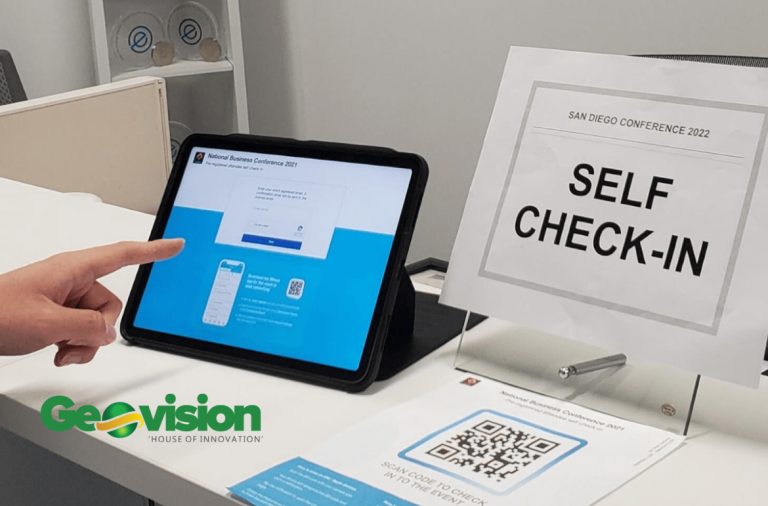
Instead of using QR codes only for check-in, you can turn badges into networking tools.
How to do it:
- Add a registration field to collect social profile links (e.g., LinkedIn)
- Export the registration list
- Insert the social links into the check-in or QR code field
- Re-import the updated list into your badge system
Now, each attendee’s badge supports both event check-in and instant digital networking using a smartphone QR scanner.
Engagement-Driven Badge Features
Badges can actively encourage participation when designed creatively.
Proven Engagement Ideas
- Gamification: Hidden challenge codes, stickers, ribbons, or scavenger hunts
- Conversation starters: Interests, industries, or discussion prompts
- Instant networking: QR codes linking to digital profiles
- Interactive elements: Scratch-off sections revealing prizes or perks
Measure success through engagement data and post-event surveys to understand how badge features enhanced participation.
Event Badge Materials: Choosing What Works
Materials affect durability, scanning reliability, and overall perception. While unique materials may seem attractive, they often introduce printing delays and technical issues.

Best Materials by Event Type
Corporate & Association Events
Firm laminate or paper fanfold badges provide a professional look and durability for multi-day use. Pre-printed stock combined with on-demand label printing allows flexibility for last-minute updates.
Trade Shows & Exhibitions
Durable laminate badges with QR codes or RFID support fast scanning, lead capture, and exhibitor engagement.
Medical & Academic Conferences
Badges must clearly display credentials, specialties, and certification levels. Double-sided layouts work best for schedules and CME tracking.
Premium & Exclusive Events
PVC badges deliver a polished, high-end finish suitable for VIP access, sponsor branding, and controlled entry.
31 Professional Event Badge Ideas
Your event goals should drive your badge design. Below are 31 proven badge concepts, organized by event type.
Corporate Event Badge Ideas

- Executive Summit Badge
- Recognition Event Badge
- Sales Kickoff Badge
- Annual Meeting Badge

- Training Program Badge
Association Event Badge Ideas

- Speaker Badge: Help speakers promote their sessions by displaying “Ask me about…” below their name on the front, along with session titles and room numbers. On the back, add technical setup checklists and AV team contacts to ensure stress-free presentations.
- Exhibitor Badge

- Chapter Leader Badge
Medical & Academic Event Badge Ideas

- Medical Symposium Badge: On the front, display attendee details, including specialty and certification level, and a QR code for session check-ins and CME tracking. On the back, include CME credit claim instructions, session evaluation deadlines, or a link to a shared repository with session handouts and speaker slides.
- Research Presenter Badge

- Medical Exhibitor Badge
- Clinical Workshop Badge: Highlight attendees’ expertise by displaying specialties and training levels on the front. On the back, include procedural checklists, essential learning objectives, and instructor contact details to ensure participants have quick access to key training resources.
Professional Development Badge Ideas

- Certification Track Badge
Showcase attendee certification status and area of expertise. On the back, provide a QR code linking to a certification resource hub with study guides, exam schedules, and continuing education materials to help attendees track their progress.
- Industry Expert Badge
- Mentor Match Badge
- Skills Workshop Badge
Networking Event Badge Ideas

- Speed Networking Badge: Encourage quick connections by listing attendee details and interests on the badge front. On the back, include a rotation schedule, icebreaker prompts, and conversation starters to help attendees make the most of short networking sessions.
- Industry Mixer Badge
- Roundtable Badge

- Innovation Forum Badge
Special Event Badge Ideas

- Awards Ceremony Badge: Honor achievements by featuring award categories and honoree names prominently on the front. Include the ceremony schedule, photo session times, and special seating arrangements on the badge back to ensure a smooth experience for awardees and guests.
- VIP Experience Badge

- Sponsor Recognition Badge: Acknowledge sponsors with tier levels on the front. On the badge back, provide details on networking event access, key exhibitor benefits, and contact information for support services to ensure they can make the most of their investment.
- Gala Event Badge
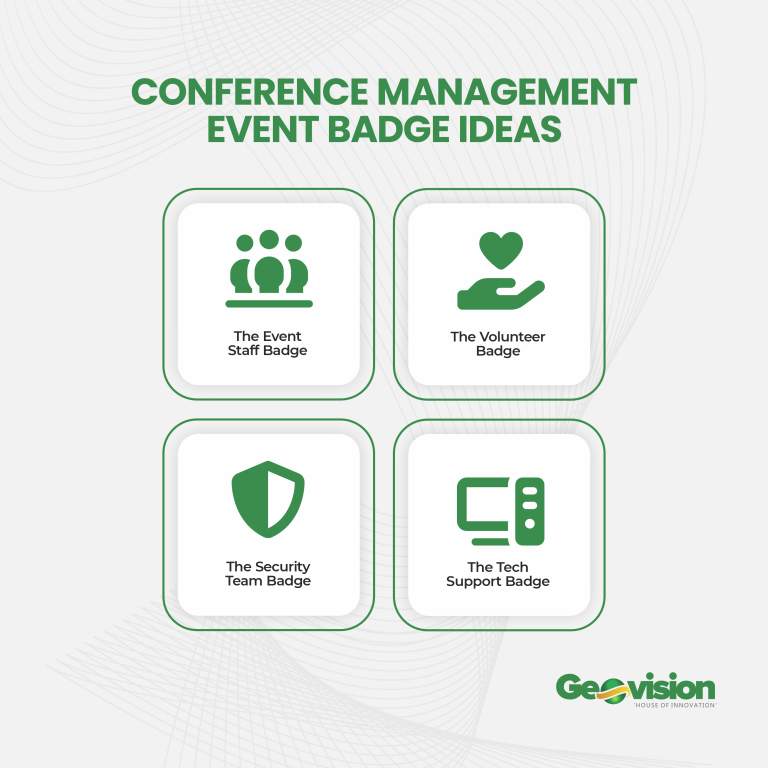
Conference Management Badge Ideas

- Event Staff Badge
Ensure visibility by featuring roles and zone assignments on the front. On the back, link to shift schedules, and include emergency contacts and escalation procedures so staff can respond quickly to any event needs.
- Volunteer Badge
- Security Team Badge
- Tech Support Badge
Multi-Day Event Badge Ideas

- Conference Track Badge
- Summit Badge: Control access by featuring clearance levels and attendee categories on the front. Provide key contact information for event support, a QR code for venue maps, and details on exclusive networking areas or VIP lounges on the badge back.
- Convention Badge

Event Badge Production Guidelines
Badge production requires balance early planning with built-in flexibility.
Key production tips:
- Pre-print badges for small events 1–2 weeks in advance
- Use onsite or label printing for walk-ins and last-minute changes
- Print test samples to confirm readability and scannability
- Test badges under real lighting conditions
Event Badge FAQs
What should an event badge include?
Name, organization, role, and optional QR codes, tracks, or access levels.
What badge size works best?
4″ × 6″ for most professional events; 4″ × 3″ for smaller gatherings.
How do I make badges look professional?
Use clean fonts, strong hierarchy, consistent branding, and durable materials.
When should badges be printed?
As close to the event as possible while allowing time for quality checks.
How can badges support networking?
By including interests, roles, and QR codes linking to digital profiles.
What materials are best?
Firm laminate or paper fanfold for most events; PVC for premium experiences.
Create Smarter Event Badges with Geovision Services
Event badges influence first impressions, networking quality, and operational flow. When done right, they quietly elevate the entire event experience.
At Geovision Services, we support end-to-end event execution from badge design and printing coordination to onsite check-in systems and event operations. Our approach ensures your badges are not only professional but functional, scalable, and aligned with your event goals.
If you want event badges that work as hard as your event does, Geovision Services is ready to deliver.
Read: How to Prepare Event Badges for Conferences and Corporate Events in Ghana
Read more here
Source and Credits: EventMobi